Applications that are approved and supported by the company should normally be installed through the Company Portal. In some cases, however, you may need to install a non-standard application that is not available there. In these situations, the installation must be performed manually.
For security reasons, the “Run as administrator” option is disabled on company devices. This method is a well-known attack vector used by malware to gain elevated privileges. Instead, applications that require administrator rights must be started using “Run as different user” with approved administrator credentials.
Follow the steps below to install the application.
1. Copy the installation files
- Locate the installation files
- Copy the installer file or the entire installation folder.
- Paste the files into the following location on your computer: C:\temp
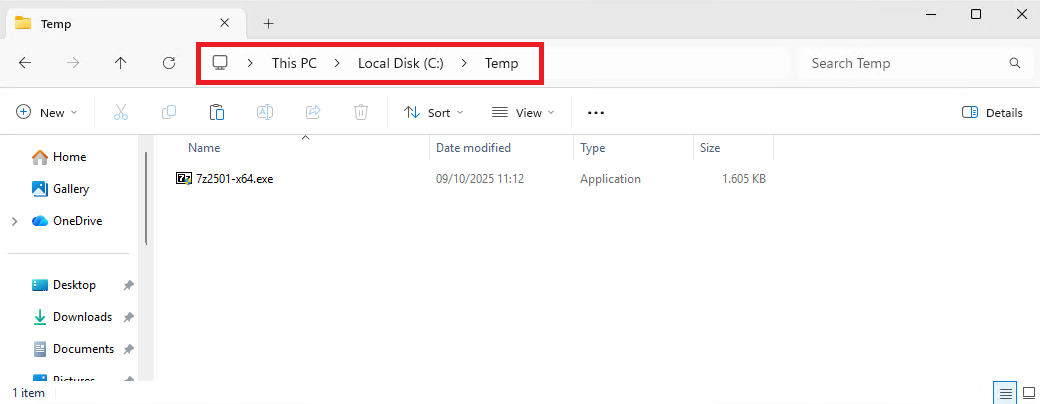
If the Temp folder does not exist, create it first.
2. Run the installer as a different user
- Hold the Shift key on your keyboard.
- While holding Shift, right-click the installer file.
- Click Run as a different user.
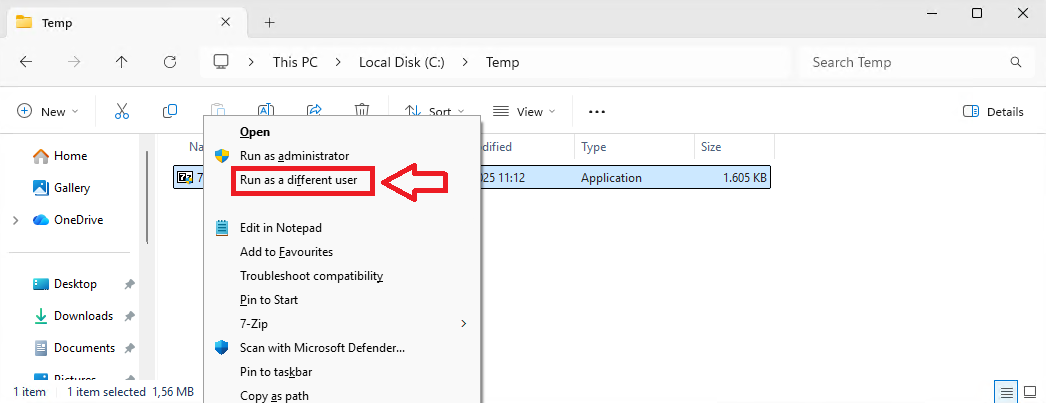
3. Enter the administrator credentials
- A Windows security prompt will appear.
- Enter the administrator username and password provided by the help desk.
- Click OK.
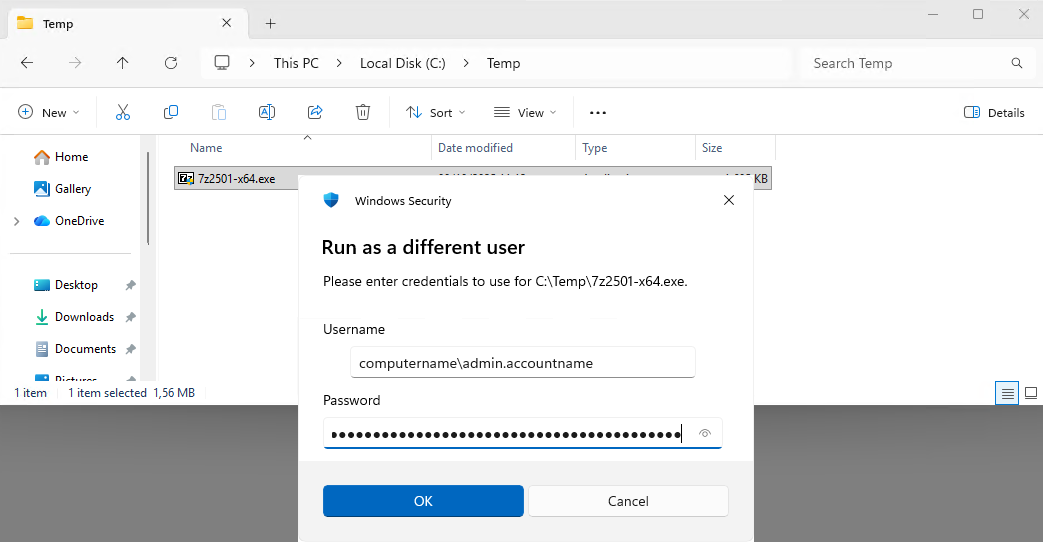
The installer will now run using the administrator account.
Important
- Always copy installation files to C:\Temp or another non-profile folder before running them. Run as different user does not work correctly when files are located in Downloads, Desktop, Documents, or OneDrive folders.
- If you do not have administrator credentials, contact the Help Desk.
Was this article helpful?
That’s Great!
Thank you for your feedback
Sorry! We couldn't be helpful
Thank you for your feedback
Feedback sent
We appreciate your effort and will try to fix the article