Problem
When you open Adobe Acrobat, you may be asked to sign in.
After entering a work email address and password, the sign-in fails and an error message is shown.
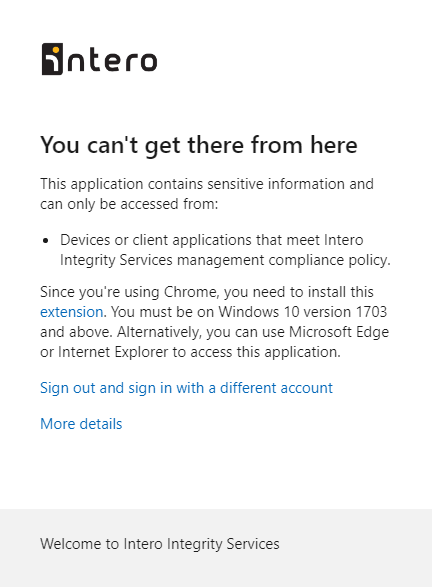
Solution
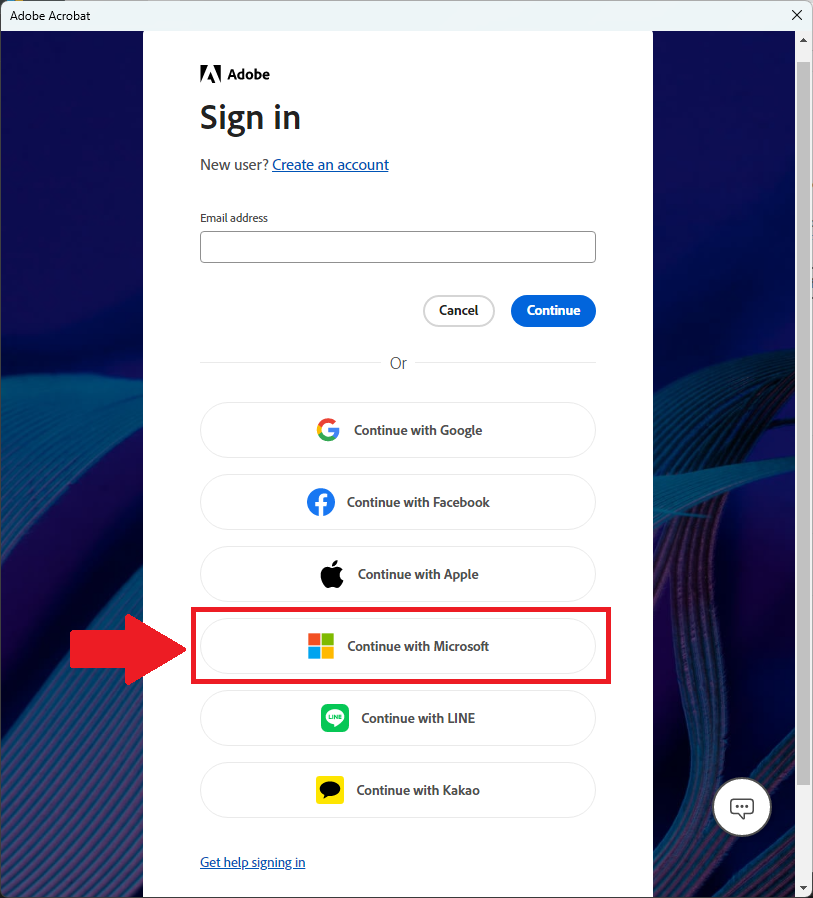
Instead of signing in with email and password directly, you must use “Continue with Microsoft”.
- Scroll down
- Click More sign-in options
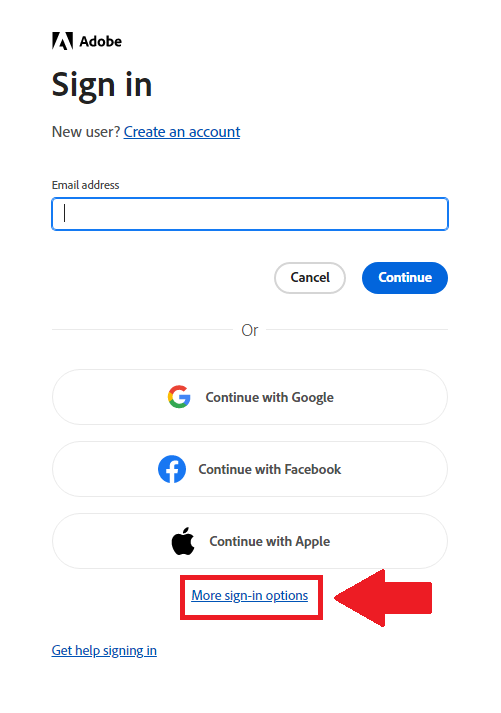
- Select 'Continue in with Microsoft'
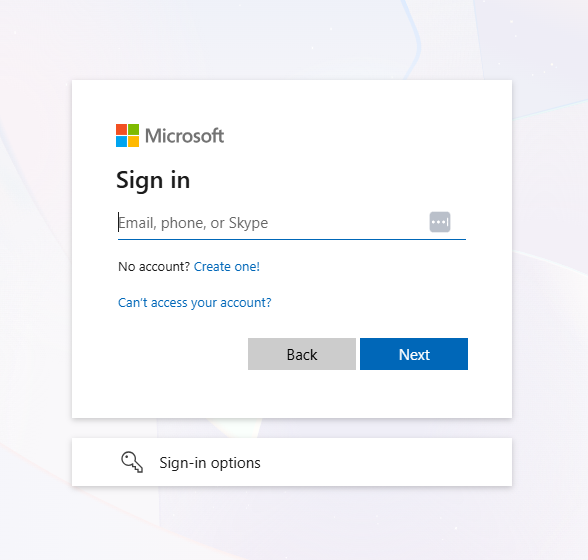
You will be redirected to the Microsoft sign-in page
- Sign in using your work account (email + password, and MFA if prompted)
After successful authentication, Adobe Acrobat will open normally
Was this article helpful?
That’s Great!
Thank you for your feedback
Sorry! We couldn't be helpful
Thank you for your feedback
Feedback sent
We appreciate your effort and will try to fix the article